

Mistrabet App: Is It Better Than Playing in Your Browser?
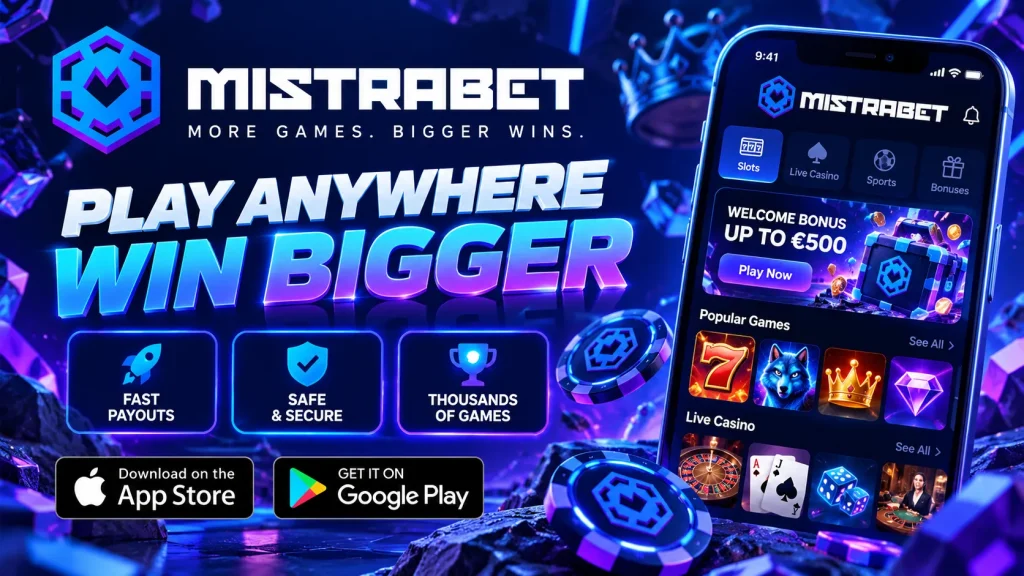
Most players in Canada reach us from a phone, yet many still wonder whether a dedicated app is worth installing when the site opens in any browser. Our honest answer is that both work, and the app is the stronger daily tool on mobile. Here is how Mistrabet compares across speed, games, payments, bonuses and security, so you can choose with confidence.
One HTML5 Foundation, Two Ways to Play
Both the browser site and the Mistrabet app run on HTML5. For you, that means one account, one balance and one game library across phone, tablet and laptop, with no separate download for each slot or table. HTML5 gives near-native performance, smooth graphics, lighter battery and data use than older plug-in technology, and instant play. So why install anything? Because the app wraps that engine in a shell built for handheld use. It loads the lobby faster, remembers you securely and sits on your home screen. Think of the browser as the engine on its own, and the Mistra bet app as the engine plus a proper dashboard. Nothing is lost by choosing either route. The difference shows up in everyday convenience.
App Versus Browser at a Glance
Before going deeper, here is the short version. Both routes give you the full casino, so the question is convenience rather than capability.
| Feature | Mistrabet app | Browser / desktop |
|---|---|---|
| Launch | One tap from your home screen | Type the URL or open a bookmark |
| Login | Face ID or fingerprint | Username and password, autofill at best |
| Lobby speed | Interface is stored on your device | Page assets reload each visit |
| Promo alerts | Push notifications | Email and on-site banners |
| Weak signal | Recovers your session more gracefully | Tab may reload or time out |
| Game catalogue | Full | Full |
| Licensing, RNG, support | Identical | Identical |
| Best for | Daily play on a phone | Large screens, shared devices, no install |
Where the App Wins Day to Day
The biggest gain is friction. In a browser you retype the address, then your password, every time your session lapses. In the Mistrabet mobile app you tap an icon and confirm with Face ID or your fingerprint, and you are in the lobby within seconds. The install is lightweight, so it will not crowd out your photos. Push notifications can tell you about promotions and tournaments you might otherwise miss, and you can switch them off in your phone settings whenever you like. Stability is the quieter benefit. Crossing between Wi-Fi and mobile data on a commute is less likely to dump you at a blank page, because the app restores your session faster. We should be clear that live games still need a live connection. The app simply handles the dips better.
The Full Games Catalogue in Your Pocket
Nobody should expect a cut-down experience on mobile, and with Mistra bet mobile you do not get one. Slots, blackjack, roulette, baccarat, live dealer tables and progressive jackpots all sit in the same catalogue you see on desktop. Search and filter tools let you jump straight to a title, a game type or a software provider, rather than scrolling endlessly. Live dealer tables adapt to portrait and landscape, so you can play one-handed on the bus or stretch out in landscape at home. Because every game is built on HTML5, there are no per-game downloads. The main practical difference is screen size, which can make busy table layouts easier to read on a tablet or laptop than on a small phone.
Deposits and Withdrawals on Mobile
The cashier works the same in both versions, but the app removes typing. Saved payment methods let you deposit in a couple of taps, with Face ID confirming the step. Balances and limits are shown in Canadian dollars. Depending on your province and verification status, options may include Interac e-Transfer, Instadebit or iDebit, major cards and some crypto. Check the cashier for what is available to you today. Withdrawals are where we want to be straightforward. Verification checks come first, processing time varies by method, and per-transaction limits are shown in the cashier before you confirm. We do not promise a fixed payout time, because banks and payment providers set part of the timeline. Withdrawing to the method you deposited with is usually the smoothest route.
Bonuses Worth Switching For
Some promotions are surfaced through the app first, such as push alerts about a new offer or a mobile-focused promotion in the promotions tab. That is a genuine reason to install it, but it is not a reason to skip the fine print. Before you opt in to any offer, read the wagering requirement, the games that count towards it, the maximum bet while a bonus is active and the expiry date. These terms are the same whether you claim on the Mistrabet casino app or in a browser, and they are listed in full on each offer. A bonus gives you extra play, not a guarantee of winning, so choose offers that suit your budget and the games you actually enjoy.
Installing the Mistrabet App on Android and iPhone
Setup is quick on both platforms. For comfortable play, we suggest a recent Android version (Android 8 or newer), an iPhone running a current iOS release, a few hundred megabytes of free storage and a stable connection. Check our download page for the current specifications. The Mistrabet app download for Android comes straight from our site because Google Play restricts real-money gambling apps in many regions. Apple handles things differently, so the iPhone route is a little different too.
Android APK From Our Site
Download the Mistrabet Android APK only from our official site. Open the file, and if your phone blocks it, allow installs from your browser in Settings under Security or Apps. Android calls this unknown sources, and you can switch it off again once the app is installed. Follow the prompts, open the app and log in or register. Always confirm you are on our real domain before downloading anything, since lookalike files are the main risk with any APK. After installation, delete the downloaded file to free up space.
iOS and the Home-Screen Web App
Where a native Mistrabet iOS build is not available in your region, you can still get an app-like experience. Open our site in Safari, tap Share, then choose Add to Home Screen. You get an icon, a full-screen layout without browser bars and the same HTML5 speed. The trade-off is that a home-screen web app may offer fewer system features than a native app, so notification support can differ. For many iPhone players it is a quick, no-fuss alternative that takes under a minute.
The Same Trust Layer, Easier to Reach
Safety does not change with the device. Mistra bet uses encrypted connections to protect your data and payments, and our games use certified random number generation for fair outcomes in both the app and the browser. You can check our licensing details in the site footer. Rules vary across Canada, so make sure online play is permitted where you live. You must also be of legal age in your province, 19 or older in most of them. Responsible gambling tools such as deposit limits, session reminders, cooling-off periods and self-exclusion are the same everywhere, but the app puts them a couple of taps away from the lobby. The same goes for our 24/7 support, which you can reach by live chat without leaving the game screen.
Troubleshooting Common App Problems
If the Mistra bet app will not install, first check your free storage, then re-download the file, since interrupted downloads are often corrupted. If Android blocks the install, revisit the unknown sources setting for your browser. Login problems usually come down to a typo, a stale password or a biometric setting that needs re-enabling, so try a password reset and confirm your device biometrics still work. For slow loading, switch between Wi-Fi and mobile data, close background apps, clear the app cache and update to the latest version. If something still fails, contact support with your phone model and operating system version. That helps us solve it faster.
When the Browser Still Makes Sense
We want this comparison to be fair. The browser is the better choice on a shared or work computer where you cannot install anything, on a big desktop monitor, or when your phone is nearly out of storage. It is also a sensible way to try us before committing to an install. For regular play on a phone, though, the Mistra bet app is the clearer winner, with faster access, one-touch login, useful alerts and the full casino in your hand. Try both with the same account and keep whichever feels right. Play responsibly and set limits that suit your budget.